

TL;DR
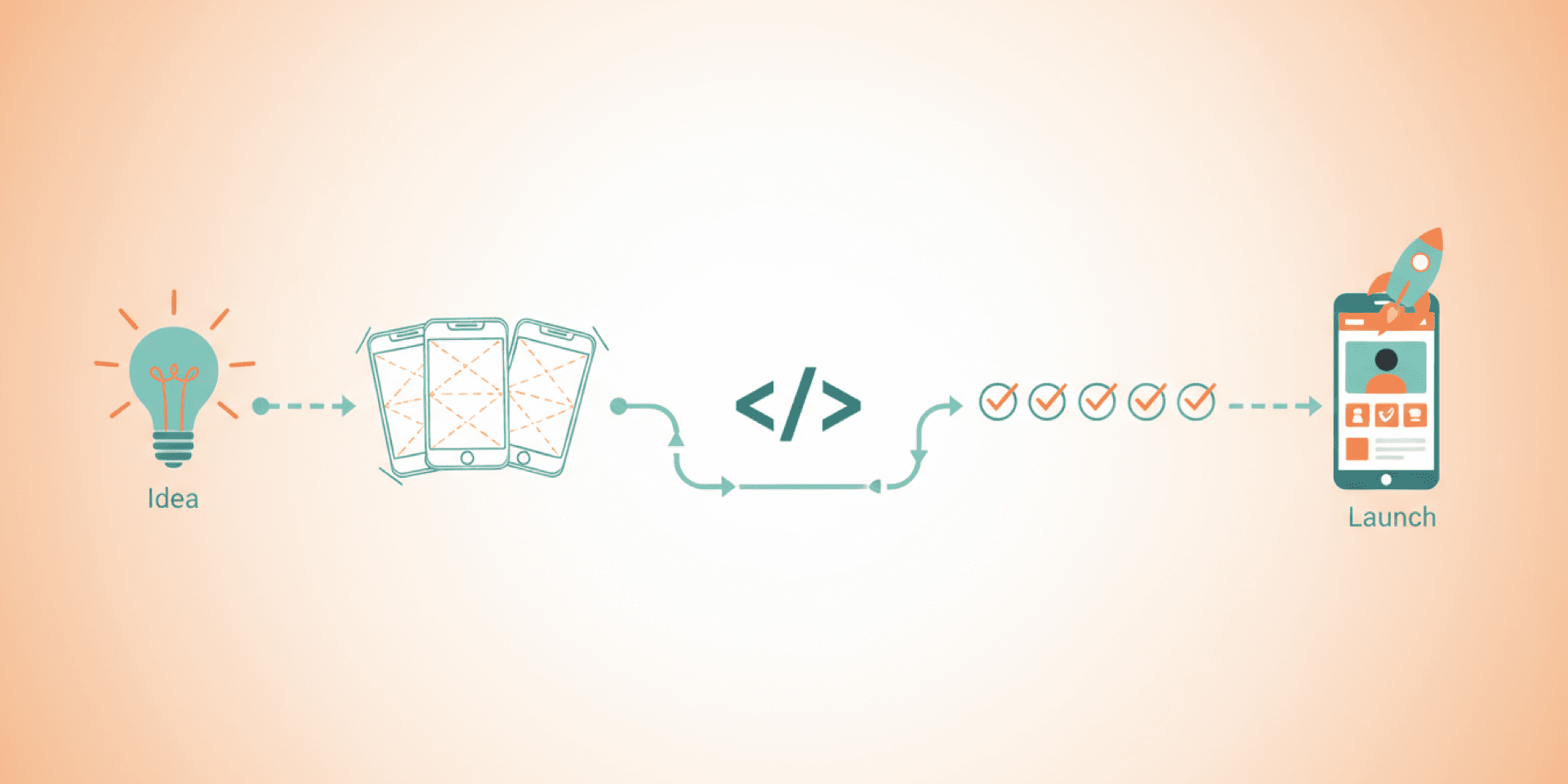
Building a mobile app is not a single step — it is a structured process that typically runs four to eight months from idea to app store. The main phases are discovery and requirements, UX/UI design, iterative development sprints, quality assurance testing, app store submission, and post-launch support. Knowing what to expect at each stage helps you budget accurately, avoid common surprises, and launch a product that actually solves the problem it was built for.
Phase 1: Discovery and Requirements
Every successful app starts with clarity. The discovery phase is where your idea gets translated into something buildable. This is not about jumping to wireframes or choosing technologies. It is about understanding the problem deeply before committing resources to a solution.
During discovery, the team works with you to define:
- Who your users are and what problem they need solved
- Core features versus nice-to-haves (the MVP scope)
- Platform decisions — iOS, Android, or both
- Integration requirements with existing systems
- Business goals and how the app supports them
- Budget and timeline constraints
This phase typically takes two to four weeks. It feels slow when you are eager to start building, but it is the most cost-effective phase of the entire project. Every dollar spent on discovery saves multiples in development by preventing wrong turns and scope changes later.
Phase 2: UX/UI Design
With requirements defined, the design phase transforms them into something visual and interactive. This happens in layers.
First, wireframes map out the app’s structure — screens, navigation flows, and content hierarchy. These are intentionally plain, focused on layout and function rather than aesthetics. Wireframes are cheap to change. Code is not.
Next, high-fidelity designs apply the visual identity: colors, typography, imagery, and component styling. Finally, interactive prototypes let you tap through the app before a single line of code is written. This is where usability issues surface. Catching these problems in design is orders of magnitude cheaper than fixing them in development.
Design typically takes three to six weeks depending on the app’s complexity.
Phase 3: Development Sprints
Development is where the app gets built, and it does not happen all at once. Modern app development uses an iterative sprint approach, typically in two-week cycles.
Each sprint delivers a working increment of the app. Sprint one might produce the authentication flow and user profile. Sprint two adds the core functionality. Sprint three integrates the payment system. And so on.
This approach has a major advantage over building everything behind closed doors for three months and then revealing the finished product. You see progress every two weeks. You can test features as they are built. If something needs to change, the adjustment happens in the next sprint rather than requiring a massive rework at the end.
Development is typically the longest phase, running eight to sixteen weeks for a moderately complex app. The exact timeline depends on feature count, platform requirements (native iOS, native Android, or cross-platform), and integration complexity.
Phase 4: Quality Assurance Testing
Testing happens throughout development, not just at the end. But a dedicated QA phase before launch is essential. This is where the app gets stress-tested across devices, operating system versions, network conditions, and edge cases.
QA testing covers several dimensions:
- Functional testing: Does every feature work as specified?
- Device testing: Does the app perform well on different screen sizes and hardware?
- Performance testing: How does the app handle slow connections, low memory, and heavy usage?
- Security testing: Is user data protected? Are API endpoints secure?
- Usability testing: Can real users complete key tasks without confusion?
Testing typically takes two to four weeks. Rushing this phase is one of the most common mistakes. An app that crashes on launch or has obvious bugs damages your brand in ways that are hard to recover from. App store ratings are permanent, and first impressions drive reviews.
Phase 5: App Store Submission
Submitting to the Apple App Store and Google Play Store is a process with its own requirements, and it surprises many first-time app builders.
Apple’s review process is notoriously thorough. They check for guideline compliance, performance, and content appropriateness. Rejections are common on first submission, and each cycle adds days. Google Play’s review is generally faster, but they have their own standards around content policies and permission usage.
For both stores, you will need:
- App store listing copy (title, description, keywords)
- Screenshots for multiple device sizes
- A privacy policy URL
- App icons in specific dimensions
- Age rating questionnaire responses
Budget one to three weeks for the submission and review process. An experienced development team prepares these assets during the QA phase so there is no delay when the app is ready.
Phase 6: Post-Launch Support
Launching is not the end. It is the beginning of a new phase. Real users generate real data, and that data will reveal things no amount of internal testing could.
Post-launch priorities include monitoring crash reports and error logs, analyzing user behavior to see where people drop off, responding to user reviews, and releasing bug fixes for issues that surface in production. Beyond maintenance, most successful apps follow a roadmap of feature updates that keep users engaged and drive growth.
Plan for ongoing maintenance as a line item, not an afterthought. Operating system updates from Apple and Google can break functionality that previously worked fine. Third-party APIs change. User expectations evolve. An app that is not actively maintained starts degrading immediately.
Common Surprises (and How to Avoid Them)
A few things catch first-time app builders off guard:
- Scope creep is the top budget killer. Feature requests that seem small — “just add a chat feature” — often carry significant development effort. A clear MVP definition in discovery prevents this.
- Supporting two platforms doubles certain work. If you need both iOS and Android, budget accordingly. Cross-platform frameworks like React Native or Flutter reduce this, but do not eliminate it.
- App store fees and ongoing costs are real. Apple charges $99 per year for a developer account. Push notifications, cloud hosting, API services, and analytics tools all have running costs.
- The first version will not be perfect. And it should not be. Launch a focused MVP, gather user feedback, and iterate. The best apps improve continuously based on real usage data.
What a Realistic Timeline Looks Like
For a moderately complex app — think an e-commerce app, a service booking platform, or a social community tool — here is a realistic timeline:
- Discovery: 2 to 4 weeks
- Design: 3 to 6 weeks
- Development: 8 to 16 weeks
- QA Testing: 2 to 4 weeks
- App Store Submission: 1 to 3 weeks
Total: roughly 4 to 8 months. Simpler apps can be faster. Complex apps with heavy integrations or custom backends take longer. Anyone promising a fully custom app in four weeks is either cutting corners or underestimating the work.
Ready to Turn Your Idea Into a Real Product?
The app development process does not have to be overwhelming. With the right partner, every phase builds naturally on the last, and you stay informed and in control throughout. At Project Assistant, we guide businesses from initial concept through app store launch and beyond. If you have an app idea and want to understand what building it would actually involve, we would be glad to walk through it with you.