


TL;DR
Automated testing and manual testing are not competitors — they are teammates. Automated testing excels at repetitive checks, regression suites, and performance validation that would take humans hours to complete. Manual testing is essential for exploratory work, usability evaluation, and catching the edge cases no script anticipated. The smartest teams use both strategically. Your quality depends on knowing which tool fits which job.
Why This Is Not an Either/Or Decision
The internet is full of “automated vs manual” comparisons that frame this as a competition. Pick a winner. Choose a side. That framing misses the point entirely. The real question is not which approach is better. It is which approach is better for each specific testing scenario in your project.
Every software product needs both. The ratio depends on your project type, release cadence, budget, and risk tolerance. But eliminating either one creates blind spots that will cost you more than the testing itself.
Where Automated Testing Shines
Automated testing is built for speed, consistency, and scale. If a test needs to run the same way every time across hundreds of scenarios, automation is the clear winner.
Regression Testing: Every time your team ships new code, you need to verify that existing features still work. Running 500 regression tests manually after every deployment is not realistic. Automated suites handle this in minutes, catching breakages before they reach users.
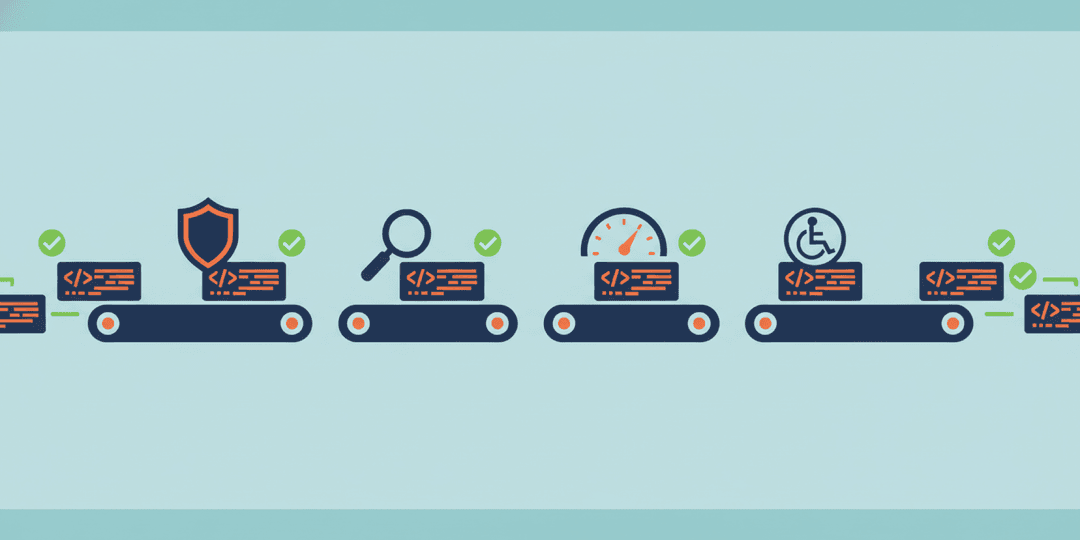
Continuous Integration and Delivery: Modern development teams push code multiple times per day. Automated tests integrate directly into your CI/CD pipeline, validating each change instantly. If a test fails, the deployment stops. No human intervention needed.
Load and Performance Testing: Simulating 10,000 concurrent users hitting your application is impossible to do manually. Tools like JMeter, k6, and Locust generate realistic traffic patterns that expose performance bottlenecks before your users find them.
Data-Driven Testing: When you need to validate the same flow with hundreds of input combinations — different user roles, payment methods, shipping addresses — automated tests cycle through every permutation systematically. A human doing this would miss combinations and lose focus.
Cross-Browser and Cross-Device Checks: Verifying that your application works on Chrome, Firefox, Safari, and Edge across desktop, tablet, and mobile manually takes days. Automated browser testing tools compress this to hours.
Where Manual Testing Is Essential
Automated tests do exactly what they are told. That is their strength and their limitation. They cannot think, adapt, or notice that something “feels wrong.” That is where manual testing becomes irreplaceable.
Exploratory Testing: A skilled tester navigating your application without a script will find issues that no automated test anticipated. They click unexpected buttons, enter unusual data, and take paths your developers never imagined. According to Atlassian’s testing guide, exploratory testing uncovers issues that scripted tests consistently miss.
Usability Testing: Can a real human figure out how to complete a task? Is the flow intuitive? Do labels make sense? These questions require human judgment. Automated tests can verify a button exists; they cannot tell you whether a user would know to click it.
Visual Validation: Layout shifts, font rendering differences, color inconsistencies, and alignment issues are difficult for automated tools to catch reliably. A human eye spots a misaligned element or an awkward text wrap instantly.
Edge Cases and Ad Hoc Scenarios: What happens when a user pastes emoji into a phone number field? What if they submit a form, hit the back button, and submit again? Manual testers think like real users — unpredictable, creative, and occasionally adversarial.
New Feature Validation: Before writing automated tests for a new feature, someone needs to manually verify the feature works as intended. Automating tests against a broken feature just codifies the bug.
The Cost and Time Reality
Automated testing has higher upfront costs but lower long-term costs. Writing test scripts, maintaining test infrastructure, and updating tests when features change requires time and expertise. But once built, those tests run for free on every deployment.
Manual testing has lower upfront costs but higher recurring costs. You need testers every release cycle. As your application grows and your release frequency increases, manual testing time scales linearly. Eventually, it becomes the bottleneck that slows your entire delivery pipeline.
Here is a practical comparison:
- 100 regression tests run manually: 2-3 days of tester time per release cycle
- 100 regression tests automated: 2-3 weeks to write initially, then 15 minutes per release cycle
- Break-even point: Typically 4-6 release cycles, depending on complexity
The math becomes compelling fast, especially for teams deploying weekly or daily.
How Modern Teams Combine Both
The most effective quality assurance strategies use a layered approach often called the testing pyramid. The base is fast, numerous unit tests (automated). The middle layer is integration tests (automated). The top is end-to-end and exploratory tests (a mix of automated and manual).
Here is how this looks in practice:
- Automate the predictable: Login flows, form submissions, API responses, calculation logic, and data validation. If it has a clear expected output, automate it.
- Manual test the unpredictable: New features, design changes, user experience flows, and anything requiring judgment. If it requires asking “does this feel right?”, keep it manual.
- Automate after manual validation: Once a manual tester confirms a feature works correctly, write automated tests to ensure it stays that way. This is the hand-off point between the two approaches.
- Use manual testing for risk assessment: Before a major release, have manual testers perform targeted exploratory sessions on the highest-risk areas. They find the problems automation did not anticipate.
Choosing Your Mix by Project Type
The right balance depends on what you are building:
E-commerce platforms: Heavy automation on checkout flows, payment processing, inventory management, and pricing calculations. Manual testing for product display, search relevance, and promotional campaigns.
SaaS applications: Automate user registration, role-based permissions, data CRUD operations, and API integrations. Manual test onboarding flows, dashboard usability, and complex workflows unique to your domain.
Content websites: Automate form submissions, link checking, and responsive layout verification. Manual test content presentation, readability, and cross-browser visual consistency.
Mobile applications: Automate API calls, offline data sync, and authentication flows. Manual test gesture interactions, device-specific behaviors, and push notification handling.
Getting Started with a Combined Strategy
If your team currently relies only on manual testing, start automating your regression suite first. That gives you the biggest return on investment because regression tests run with every single release.
If your team runs automated tests but skips manual testing, add exploratory testing sessions before major releases. Even a few hours of skilled manual testing often uncovers issues that have been hiding in plain sight.
The goal is not 100% automation. It is smart allocation — putting each testing approach where it delivers the most value for your specific product and release schedule.
At Project Assistant, we build QA strategies that blend automated and manual testing based on your product’s actual risk profile. If you are shipping features without a clear testing strategy, or if bugs keep reaching your users, let’s talk about building a quality process that actually catches problems before your customers do.