
Ask your current development team how they handle security. If the answer involves the word “before launch” or “at the end,” you already have a problem.
Most agencies treat security the way most people treat dental checkups — something you know you should do regularly but keep pushing to “later.” Code gets written. Features get shipped. And somewhere in the final sprint before launch, someone runs a scan, crosses their fingers, and hopes nothing critical shows up.
That approach made sense when security scanning was slow, expensive, and disruptive. It doesn’t make sense now. The tools have changed. The threats have changed. And the cost of getting it wrong has gone through the roof.
Here’s what happens to your code inside our process — every single time a developer pushes a change, not just the week before go-live.
TL;DR
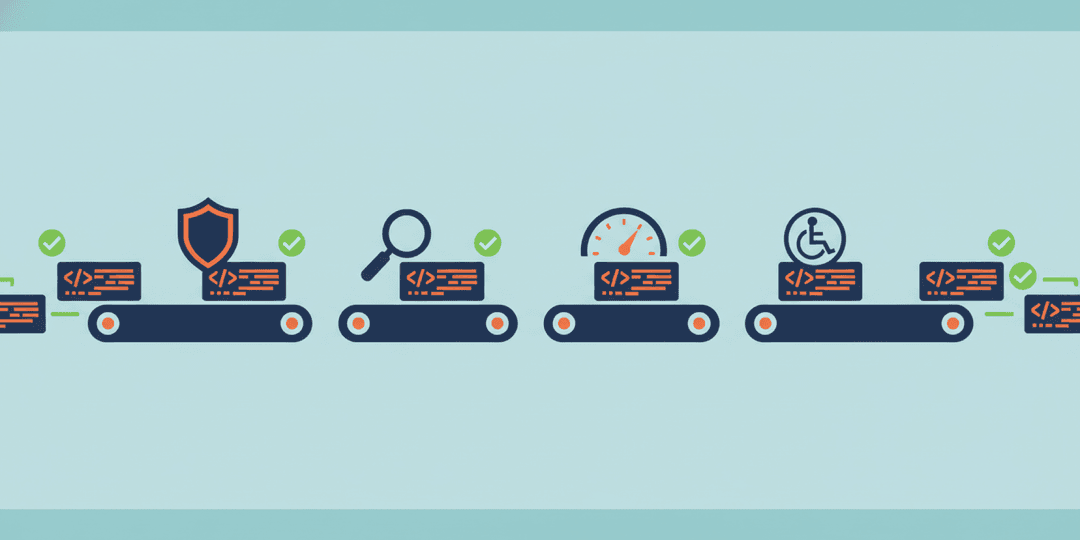
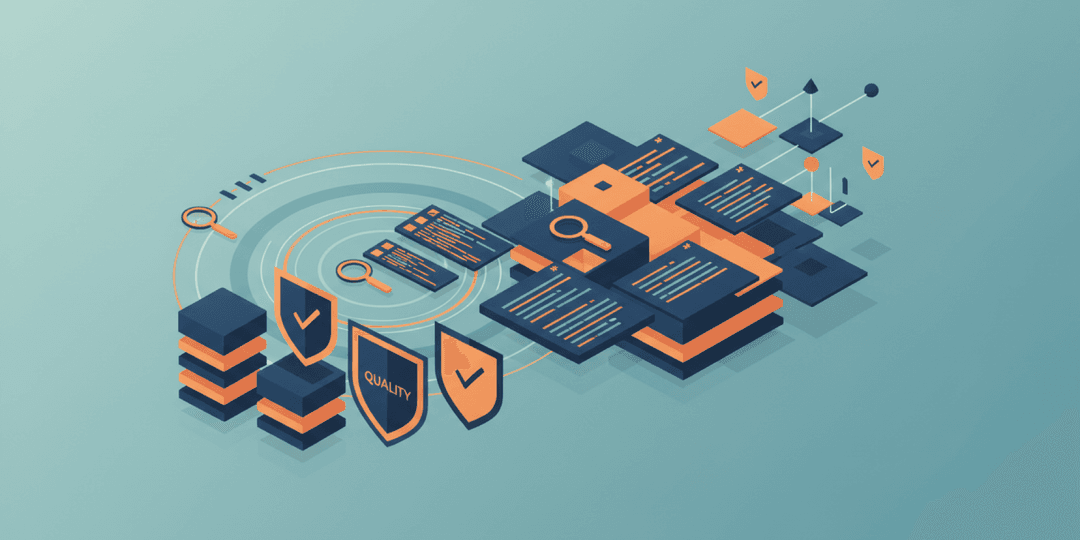
Every code change in our projects passes through seven automated security layers before it can reach production. Static analysis catches coding mistakes that create vulnerabilities. Dependency scanning checks every third-party library against known vulnerability databases. Secret detection sweeps the entire codebase and its history for leaked credentials. Infrastructure scanning validates server and container configurations. These aren’t reports that sit in someone’s inbox — they’re hard gates that physically block a deployment if something fails. The result is a measurable security posture scored out of 100, three scan depths depending on the development stage, and AI-assisted remediation that helps fix problems instead of just flagging them. Security becomes part of the development rhythm, not a last-minute scramble.
Why “we’ll scan it before launch” doesn’t work
There’s a widespread belief that security is a phase — something you do once, at the end, when the code is “done.” Run a scan. Fix what comes up. Ship it.
The problem is that security vulnerabilities don’t appear all at once at the end of a project. They accumulate. A developer adds a third-party library in week two that has a known vulnerability. Another developer hardcodes a test credential in week four and forgets to remove it. A database query in week six doesn’t properly sanitize user input. By the time you run that pre-launch scan, you’re looking at dozens of issues woven throughout the entire codebase — some of them deeply embedded in code that other code now depends on.
Fixing those issues at the end is exponentially more expensive and risky than catching them when they’re introduced. It’s the same principle behind why QA testing belongs throughout development, not bolted on at the finish line.
Our approach inverts the entire model. Security scanning runs continuously — on every push, every pull request, every merge. Problems get caught in minutes, not months.
Layer 1: Code analysis — catching mistakes before they become vulnerabilities
The first layer examines every line of code for patterns that create security risks. Not “does this code work?” but “does this code work safely?”
These are the kinds of issues it catches:
- Injection vulnerabilities — when user input can be used to manipulate your database, run unauthorized commands, or access data that should be restricted. This is the single most common category of web application attacks.
- Hardcoded credentials — passwords, API keys, or access tokens written directly into the source code. It happens more often than any developer wants to admit, and it’s one of the easiest things for an attacker to exploit.
- Weak cryptography — using outdated or insecure methods to encrypt sensitive data. If your customer’s payment information is encrypted with an algorithm that was considered obsolete five years ago, the encryption is theater.
- Authentication flaws — gaps in how your application verifies who a user is and what they’re allowed to do. Missing permission checks, broken session handling, insecure password storage.
The scanning is framework-aware. It understands the specific patterns used in React, TypeScript, Python, and the other technologies in your stack. That distinction matters. A generic scan treats every codebase the same way. A framework-aware scan knows the difference between a legitimate use of a function and a dangerous one based on the context.
This layer alone covers the OWASP Top 10 — the industry-standard list of the most critical web application security risks. These aren’t obscure theoretical attacks. They’re the vulnerabilities behind the breaches you read about in the news.
Layer 2: Dependency scanning — because your code is only as secure as the code it depends on
Modern applications don’t exist in isolation. A typical web application pulls in hundreds of third-party libraries — open-source packages that handle everything from date formatting to database connections to authentication flows. Your developers didn’t write those libraries. But your application depends on them, and your customers are exposed to their vulnerabilities.
Dependency scanning checks every one of those libraries against continuously updated vulnerability databases. If a library your project uses has a known security flaw, the scan catches it.
But here’s the part most people don’t think about: it’s not just the packages you install directly. It’s the packages those packages depend on. A single library might pull in thirty other libraries behind the scenes. A vulnerability in any one of those transitive dependencies is a vulnerability in your application.
This is where we differ from most teams. Our dependency scanning is a hard gate. If a critical vulnerability is found in any dependency — direct or transitive — the build is blocked. Not flagged. Not logged for someone to review later. Blocked. The code physically cannot move forward until the issue is resolved.
That might sound aggressive. It is. And that’s the point. A report that says “you have 14 critical vulnerabilities” but lets you deploy anyway isn’t a security tool. It’s a liability document.
Layer 3: Secret detection — finding what should never have been there
Credentials end up in code. It’s one of the most common security mistakes in software development, and it’s not because developers are careless. It happens because testing requires real connections, and removing those test credentials before committing code is a step that’s easy to skip when you’re focused on getting something working.
Our secret detection layer doesn’t just scan the current state of your code. It scans the entire history. Every commit, every branch, every change that was ever made and then “deleted.” Because in version control, deleted doesn’t mean gone. An API key that was committed six months ago and removed in the next commit is still sitting in the repository history, fully visible to anyone with access.
The detection covers over 700 credential types — from major cloud providers to SaaS platforms to database connection strings. If something looks like a secret, it gets flagged.
Layer 4: Infrastructure scanning — the layer below the code
Your application runs inside an environment — servers, containers, operating systems. That environment has its own set of potential vulnerabilities, completely separate from your application code.
Infrastructure scanning checks the operating system packages inside your deployment containers. It verifies that server configurations follow security best practices. For applications that handle multi-tenant data — where multiple clients share a system — it audits the database security rules that keep one client’s data separated from another’s.
Think of it this way: you can write perfectly secure application code, but if the server it runs on has an unpatched vulnerability, none of your application-level security matters. An attacker doesn’t need to find a flaw in your code when they can exploit the infrastructure it runs on.
Layers 5, 6, and 7: The process layers
The first four layers are about what gets scanned. The remaining three are about how and when.
Layer 5: Hard gates that actually stop deployments
A security scan that produces a report but doesn’t prevent action is a formality. It’s the development equivalent of a fire alarm that makes noise but doesn’t call the fire department.
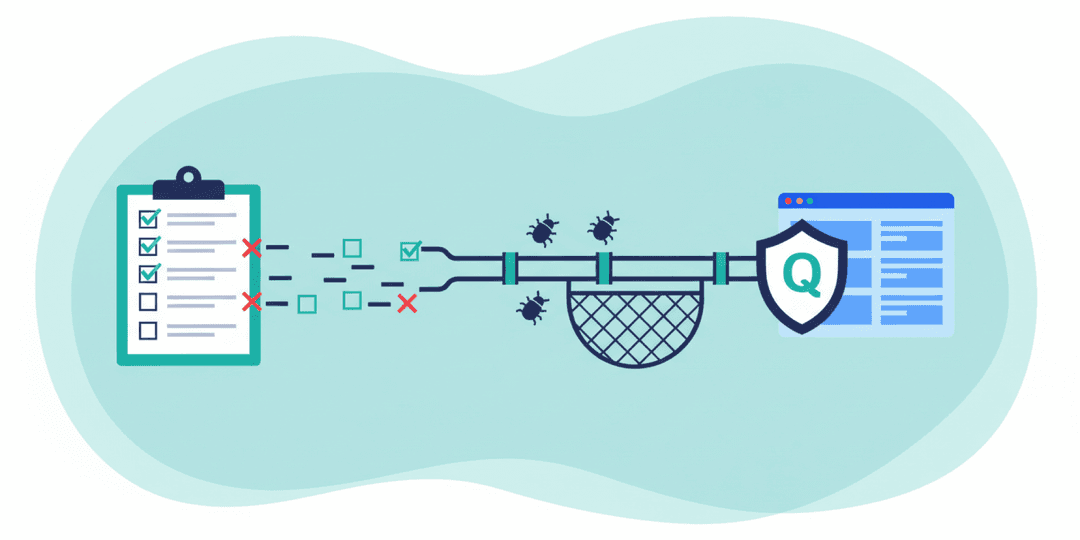
Our pipeline uses hard gates — automated checkpoints where code either passes or it doesn’t proceed. A critical vulnerability in a dependency doesn’t generate a warning. It stops the build. A leaked credential doesn’t produce a note. It blocks the deployment.
This is different from how most teams operate. In many shops, security findings are advisory. They show up in a dashboard, maybe trigger an email, and someone adds them to a backlog that grows faster than it shrinks. The code ships anyway.
Hard gates remove that decision entirely. The system enforces the standard, regardless of deadline pressure, regardless of how close to launch you are, regardless of how “minor” someone thinks the risk is. If you’ve read about why more quality checks actually means faster delivery, this is the same principle applied to security. Catching a problem early is always faster than managing a crisis later.
Layer 6: Three scan depths for different stages
Not every scan needs to be exhaustive. Running a thirty-minute comprehensive scan on a one-line CSS change would be wasteful. Running a five-minute quick scan before a production launch would be negligent.
We use three scan depths matched to the development stage:
- Quick scan (approximately 5 minutes) — runs before every pull request. Covers the most common vulnerability patterns and dependency checks. Fast enough that it doesn’t slow development. Thorough enough to catch the issues most likely to appear in daily work.
- Standard scan (approximately 15 minutes) — runs during feature reviews. Adds deeper analysis of code patterns, more comprehensive dependency checking, and broader secret detection. This is the standard for any significant feature heading toward staging.
- Comprehensive scan (approximately 30 minutes) — runs before any production deployment. Full-depth analysis across all layers. Every vulnerability database is checked. Every line of history is scanned. Every infrastructure configuration is audited. This is the final gate before your customers see the code.
The result is a system that’s always scanning, always appropriate to the context, and never creating unnecessary friction during active development.
Layer 7: Automated remediation — not just finding problems, fixing them
Here’s where the process diverges most sharply from traditional security scanning.
Most security tools generate a list of findings and hand it to a developer. The developer then has to figure out what each finding means, research the fix, implement it, and verify the fix didn’t break something else. That process can take hours per finding, especially for complex vulnerabilities.
Our system uses AI-assisted remediation. When a vulnerability is detected, the system doesn’t just identify the problem — it suggests the specific fix, sometimes even applying it automatically. A developer still reviews and approves the change, but the research and initial fix are handled by the system.
This isn’t a minor convenience. It’s the difference between “you have a problem” and “here’s the solution.” And it dramatically reduces the time between finding a vulnerability and eliminating it — the window of exposure that attackers depend on.
If you’re familiar with what AI-powered development actually looks like in practice, this is a concrete example. The AI doesn’t replace the human judgment. It eliminates the repetitive research that delays the human from acting on their judgment.
The security scorecard: making protection measurable
One of the problems with security is that it’s traditionally invisible. Either you’ve been breached or you haven’t, and the absence of bad news feels like good news until it isn’t.
Our process generates a security score out of 100 for every project, updated with every scan. That score reflects the current state across all seven layers — code quality, dependency health, credential hygiene, infrastructure hardening, gate compliance, scan coverage, and remediation velocity.
You don’t need to understand the technical details behind the score. You just need to know that 95 is substantially better than 72, and that the score trends over time tell you whether your application’s security posture is improving or degrading.
This makes security a conversation you can actually have with your development team, based on data instead of trust.
Why automated scanning beats manual security reviews
Manual security reviews have their place. A seasoned security expert examining your application’s architecture and business logic can find issues that no automated tool would catch. We’re not arguing against that.
But manual reviews have three fundamental limitations:
- They don’t scale. A human can review code once — maybe twice if you’re lucky — before launch. Automated scanning runs on every change, hundreds of times throughout a project.
- They’re inconsistent. A reviewer at 9 AM catches different things than the same reviewer at 5 PM. Automation doesn’t have bad days, distractions, or blind spots from familiarity.
- They create a false sense of completion. “We did a security review” implies the application is secure. But security isn’t a destination — it’s a state that changes with every code commit, every library update, every new feature.
Automated scanning doesn’t replace expert review. It handles the 90% of security work that’s repetitive, well-defined, and unsuitable for human attention — so that when you do bring in an expert, they can focus on the complex, nuanced issues that actually require human judgment.
What this means for you as a business owner
You’re probably not going to implement any of this yourself. That’s not the point. The point is knowing what to expect from the team building your application, and knowing what questions to ask.
Here’s what a process like this delivers in practical business terms:
- Reduced liability. If customer data is compromised because of a known vulnerability that should have been caught, the legal and financial exposure is significant. Automated scanning with hard gates dramatically reduces that risk.
- Compliance readiness. Whether you’re dealing with PCI DSS for payment processing, HIPAA for healthcare data, SOC 2 for enterprise clients, or GDPR for European users — automated security scanning provides the documentation trail that auditors look for. You’re not scrambling to prove your security posture after the fact. It’s recorded continuously.
- Faster incident response. If a new vulnerability is disclosed in a library your application uses, continuous scanning means you know about it immediately — not whenever someone happens to check.
- Lower long-term costs. Security debt works exactly like technical debt. Ignore it long enough and the remediation cost grows exponentially. Continuous scanning keeps that debt near zero.
- Peace of mind that’s based on evidence, not promises. “We take security seriously” is a statement any agency can make. A security scorecard with scan history and gate compliance data is something only a disciplined process can produce.
Questions to ask your development team
Whether you’re working with us or evaluating another agency, these are the questions that separate real security practices from lip service:
- When does security scanning happen? If the answer is “before launch” or “periodically,” that’s a flag. It should happen on every code change.
- What happens when a scan finds a critical vulnerability? If the code can still be deployed, the scan is advisory, not protective.
- Do you scan dependencies, or just application code? Application code is only part of the attack surface. Dependencies and infrastructure matter just as much.
- Can you show me a security score or report for a current project? If security is measurable, they should be able to show you metrics. If it’s not measurable, it’s not managed.
- How quickly do you respond to newly disclosed vulnerabilities? With continuous scanning, the answer should be “we know within hours.” Without it, the answer is “whenever we check.”
If you want to go deeper into what good web application security looks like from a business perspective, we’ve covered the fundamentals in a previous post.
Security as a standard, not a feature
We don’t list security scanning as a line item on proposals. It’s not something you add on or opt into. It’s built into the development process the same way brakes are built into a car — not because you plan to crash, but because it would be reckless not to include them.
Every project. Every push. Every deployment. Seven layers. Hard gates. Measurable results.
That’s not a selling point. It’s the baseline for professional development in 2026.
If your current team can’t describe their security process with this level of specificity, it might be worth a conversation about what’s actually protecting your customers’ data. Our QA and security practice is built around the principle that quality — including security — isn’t a phase. It’s a constant.
And if you’re building something new, whether it’s a custom web application or a customer-facing platform, every line of code should earn its way to production. That starts with making sure it’s safe to be there.