

TL;DR
Skipping QA testing is the most expensive shortcut in software development. Bugs caught in production cost 10-100x more to fix than bugs caught during development. A solid QA strategy covers unit, integration, end-to-end, performance, security, and accessibility testing. The ROI is clear: less downtime, fewer emergency fixes, happier users, and a product that actually works as promised.
The Step Everyone Wants to Skip
Here’s a conversation that happens in project meetings every day. The deadline is approaching. Development took longer than expected. The budget is tight. Someone says: “Can we skip some of the testing to hit our launch date?”
It sounds reasonable in the moment. The app “works” on the developer’s machine. The main features have been manually clicked through. What’s the worst that could happen?
A lot, as it turns out.
What Happens When You Skip QA
In 2017, a major airline’s booking system crashed during peak travel season. The issue? An untested edge case in their scheduling algorithm. The outage lasted three days and cost an estimated $150 million in direct losses — not counting the reputational damage.
You don’t have to be a Fortune 500 company for this to sting. For a small business, a checkout flow that breaks on mobile can mean thousands of dollars in lost sales before anyone notices. A contact form that silently fails means leads that never reach your inbox. A security vulnerability that goes undetected can expose customer data and trigger legal consequences.
The pattern is always the same: the testing that would have caught the issue would have cost a fraction of what the production failure costs. According to the National Institute of Standards and Technology, software bugs cost the U.S. economy an estimated $59.5 billion annually, and more than a third of that cost could be eliminated by improved testing.
The True Cost Equation
Here’s the math that makes the case for QA investment obvious.
A bug caught during development takes a developer 30 minutes to fix. That same bug caught during QA takes one to two hours (investigation, fix, re-test). That same bug found in production? It takes four to ten hours — factoring in customer reports, emergency triaging, hotfix deployment, rollback coordination, and post-incident review.
And that’s just the direct engineering cost. Add in lost revenue during downtime, customer support time, reputation damage, and potential legal exposure. A $200 fix during development becomes a $20,000 incident in production.
QA testing isn’t a cost center. It’s insurance.
Types of Testing Your Product Needs
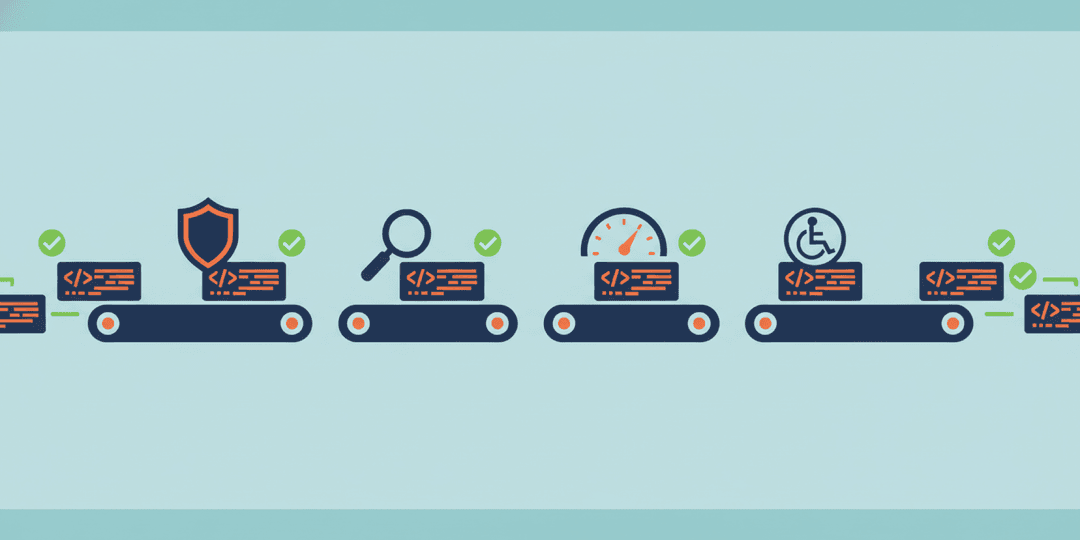
Not all testing is the same. A comprehensive QA strategy uses multiple types of testing, each catching different categories of problems.
Unit Testing
Unit tests verify that individual pieces of code work correctly in isolation. Does this function calculate tax correctly? Does this validation rule catch invalid emails? Unit tests are fast, cheap to write, and catch the majority of basic logic errors before they have a chance to compound.
Think of unit tests as spell-check for your code. They won’t catch every problem, but they catch the obvious ones instantly.
Integration Testing
Integration tests verify that different parts of the system work together. Does the login form talk to the authentication service correctly? Does the shopping cart calculate totals accurately when multiple discounts apply? Individual components can each work perfectly in isolation and still fail when combined.
End-to-End Testing
End-to-end tests simulate real user journeys through the entire application. Can a user sign up, browse products, add items to a cart, check out, and receive a confirmation email? These tests are the closest thing to having a real person use your product, and they catch the failures that matter most — the ones your customers would actually experience.
Performance Testing
Your application might work beautifully with 10 users. What about 10,000? Performance testing reveals how your system behaves under load — where the bottlenecks are, where memory leaks hide, and at what point things start to break. Finding this out during testing is a planning exercise. Finding it out on launch day is a crisis.
Security Testing
Security testing identifies vulnerabilities before attackers do. SQL injection, cross-site scripting, authentication bypass, data exposure — these aren’t theoretical risks. They’re daily realities for web applications. Security testing isn’t about paranoia. It’s about responsibility, especially when you handle customer data.
Accessibility Testing
Accessibility testing ensures your product works for users with disabilities — screen reader compatibility, keyboard navigation, color contrast, and more. Beyond being the right thing to do, accessibility failures can create legal liability. Web accessibility lawsuits have increased dramatically in recent years, and the trend shows no signs of slowing.
What Good QA Actually Looks Like
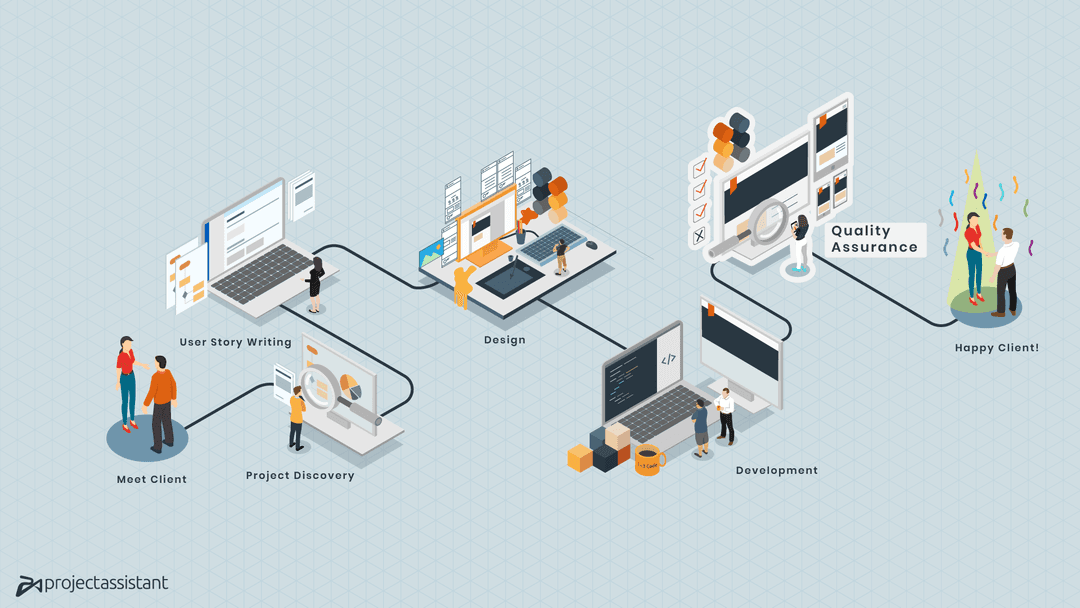
Good QA isn’t a phase tacked onto the end of development. It’s woven into the entire process.
During development: Developers write unit and integration tests alongside their code. This catches issues at the source, when they’re cheapest to fix. Automated test suites run with every code change, flagging regressions immediately.
Before release: Dedicated QA runs end-to-end test suites, performance benchmarks, and security scans. Manual exploratory testing covers edge cases that automated tests might miss. Accessibility audits verify compliance with WCAG standards.
After release: Monitoring and alerting systems catch issues that slip through. Error tracking tools provide instant visibility into production problems. Regular regression testing ensures new features don’t break existing ones.
The ROI of QA Investment
Let’s put real numbers to it. A mid-sized web application with proper automated QA might invest $15,000-$30,000 in testing during development. That investment prevents an estimated three to five production incidents per year that would cost $10,000-$50,000 each to resolve.
But the real ROI goes beyond incident prevention. Well-tested products launch with confidence. Development velocity stays high because regressions are caught early instead of discovered weeks later. Your team spends time building features instead of fighting fires. And your customers get a product that works reliably, which translates directly to retention and referrals.
Start Where You Are
If your current QA process is “the developer clicks through it,” you’re not alone. Many businesses reach a growth stage where their testing hasn’t kept up with their product’s complexity. The good news is that you don’t need to implement everything at once.
Start with automated unit tests for your most critical business logic. Add integration tests for your most important user flows. Layer in end-to-end testing for your revenue-generating paths. Build from there.
The most expensive approach is no testing at all. The second most expensive approach is testing only when something breaks. The most cost-effective approach is building testing into your development process from day one.
At Project Assistant, we build quality assurance into every project from the start — not as an afterthought, but as a core part of how we develop software. Whether you need to establish a QA process for an existing product or want to ensure your next build launches with confidence, our team has the expertise to make it happen. Let’s talk about what your product needs.